Week 8 + 9: Final session — IP, Demo Day prep, peer evaluation
Team check-in — first 5 minutes
Honest answers. Immediate feedback on where your team stands.
Your session
Dev Log 20% of grade
Validation sessions run 10% of grade · 5+ needed
Technical Documentation 15% of grade · due Week 11
Demo Day story 40% of grade · Week 10 (May 6–8)
Your team's picture — Week 8
| # | Mission | Time |
|---|---|---|
| 0 | 🔍 IP Strategy sprint | 30 min |
| 1 | 🗣️ Standup + sprint planning | 20 min |
| 2 | 🔬 Validation — closing lap | Self-paced |
| 3 | ⚙️ Build sprint — Demo Day as the constraint | Remaining time |
| 4 | 🤝 Peer Evaluation — how it works | 15 min |
| 5 | 📋 Assessment overview + Demo Day briefing | 10 min |
| 6 | 📝 Teaching quality survey | 10 min |
Mission 0 — IP Strategy sprint
Section titled “Mission 0 — IP Strategy sprint”30 minutes. One page in your Technical Documentation. Assessed on strategic thinking — not legal accuracy.
Three types of protection exist. One or more can apply to your project at the same time:
| Type | 中文 | You already have it? |
|---|---|---|
| Copyright (版权) | 版权 | Yes — automatically. Your code is yours the moment you write it. |
| Patent (专利) | 专利 | No — you must apply, pay fees, and wait 1–3 years. |
| Trade secret (商业秘密) | 商业秘密 | Yes — if you keep it private and do not publish it. |
Your task — 30 minutes:
- Watch the video above.
- Discuss as a team: which of the three protections apply to your project? More than one can apply.
- Open the IP Strategy section of your Technical Documentation template and write one paragraph explaining which protection(s) you recommend and why. Use AI to help you draft it — but the reasoning must be yours.
Template: ⬇ Technical Documentation — open Section 4 (IP Strategy) and fill it in today.
Want to do a prior art search or need more detail? The full AI research workflow, patent database links, and comparison tables are on the deep-dive page:
Mission 1 — Standup + sprint planning
Section titled “Mission 1 — Standup + sprint planning”Three questions each, two minutes per person:
- What did I do since the last session?
- What will I do in this session?
- Any blockers?
After standup — update Kanban:
- Move completed tasks to Done
- Every developer has one task In Progress with their name on it
- Sprint goal: is everything you are building this week something you will demo on Demo Day?
Mission 2 — Validation — closing lap
Section titled “Mission 2 — Validation — closing lap”| Sessions run | What to do now |
|---|---|
| 0–1 | Run two sessions today. A paper sketch is enough. |
| 2–3 | Run one session today, one more before Week 10. You can reach the minimum. |
| 4 | One more session. You are close. |
| 5+ | Write up any undocumented sessions. Make sure you have one iteration documented: finding → change → test again. |
One strong before/after finding is worth more than five sessions with no changes.
Quick session (20 minutes):
- Opening (2 min): “We are testing the product, not you. Think out loud.”
- Task: “Imagine you want to [goal]. Show me what you would do.” — then stop talking.
- Observe (15 min): Where do they pause? What do they try first?
- Debrief (3 min): “Was anything surprising?”
- Write it up (10 min): Who · what you showed · what they did · one change you will make.
See the Validation Guide for the full template.
Mission 3 — Build sprint — Demo Day as the constraint
Section titled “Mission 3 — Build sprint — Demo Day as the constraint”Week 8 is the last instructional session. Week 9 is open rehearsal — use it to practise, not to build features you have not started yet.
One question for every Kanban task: Will this appear in the demo?
| Situation | What to do |
|---|---|
| Nice-to-have, not in the demo | Cut it. The demo is 2.5 minutes. |
| Core use case not working | This is the only priority. Everything else waits. |
| Demo works but feels rough | Polish the demo flow only — no new features. |
| Demo-ready | Practise it. Time it. Then work on documentation. |
Test this today: Give your laptop to someone outside your team. Ask them to complete the core task without guidance. If they cannot do it, that is your sprint goal.
Commit standard:
feat: user can complete [core task] without errorsfix: [specific issue] no longer blocks the demo flowdocs: IP Strategy section added to Technical DocumentationMission 4 — Peer Evaluation — how it works
Section titled “Mission 4 — Peer Evaluation — how it works”Peer Evaluation is part of your individual grade (30%). It is separate from Demo Day and separate from your pathfinder’s assessment. Your teammates rate you — you rate them.
What you are rated on:
| Category | What assessors look at |
|---|---|
| Reliability | Did you complete your tasks? Meet deadlines? Communicate blockers early? |
| Quality | Did your work meet the standard? Did you put in real effort? |
| Initiative | Did you help proactively? Did you solve problems without being asked? |
| Communication | Were you responsive? Did you attend meetings and check-ins? |
How the score converts to your grade:
- Each category is rated by your teammates
- Ratings are averaged across your team
- The result converts to 0–15 points added to your final grade
- A strong individual rating can lift your personal grade above your team’s group score
Ratings are confidential. Your teammates will not see what you wrote about them. Your pathfinder sees the results.
Rate honestly — not generously. If a teammate did not contribute, rating them high does not help them. It makes the evaluation useless. Be fair.
When and where:
- Due: Week 11, Sunday May 15, 23:59
- Where: Download the form from LMO, complete it, submit via LMO
- Who fills it in: Every team member independently
/ completed — progress saved in your browser
Mission 5 — Assessment overview + Demo Day briefing
Section titled “Mission 5 — Assessment overview + Demo Day briefing”⚓ Stefan’s briefing — Demo Day is Week 10 (May 6–8)
Demo Day is 40% of your grade. Here is what assessors look for:
| Element | Weight | What scores well |
|---|---|---|
| Prototype Demo | 15% | Core use case works end-to-end · handles the expected flow |
| User Validation Evidence | 10% | Real sessions shown · before/after iteration |
| Presentation Quality | 10% | Clear story · exactly 6 min · professional slides |
| Technical Q&A | 5% | Can explain choices · understands trade-offs |
Validation Evidence (10%) is worth double Q&A (5%). A simple product with strong evidence of learning outscores a polished prototype with no evidence of user testing.
Uncomfortable truths score higher than glossy prototypes. “Users couldn’t find X, so we moved it — here is the before and after” is a stronger Demo Day moment than five positive quotes.
Your 6 minutes:
| Section | Time |
|---|---|
| The problem — who has it, one real user quote | 1 min |
| What you built — one sentence | 30 sec |
| Live demo — core use case only, show don’t explain | 2.5 min |
| What users told you — two findings, one before/after | 1 min |
| What comes next — one honest limitation | 1 min |
Before you leave, agree as a team:
/ completed — progress saved in your browser
→ Full Demo Day guide with rubric and Q&A tips · → Assessment Overview
Live Q&A — open the queue now:
- Open the Live Q&A page in a new tab.
- Upvote any question your team also has.
- Add a new question if something is unclear. Stefan answers live in Hour 3.
Team question — answer out loud before moving on:
“If Demo Day were next week — what is the one thing we are most embarrassed by?”
That answer is your priority for Week 9.
Mission 6 — Teaching quality survey
Section titled “Mission 6 — Teaching quality survey”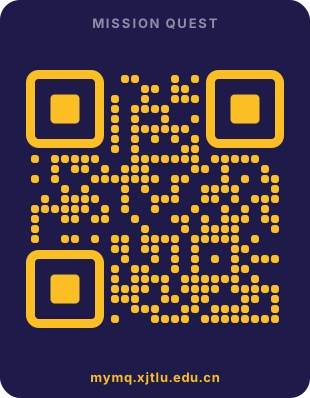
Scan or open mymq.xjtlu.edu.cn — log in with your XJTLU account, then select ENT208TC Industry Readiness.
Ten minutes. Your feedback directly shapes how this module runs.
Before you leave
Section titled “Before you leave”/ completed — progress saved in your browser
Was this page helpful?